
Token maker › Owlbear Rodeo token maker
Owlbear Rodeo token maker
We could not find an official token pixel size for Owlbear Rodeo, so use a square PNG with a transparent background and import it as a Character through the Asset Manager. Owlbear's documentation explains importing and placing images but gives no required dimensions. The token maker's default export, a PNG up to 256 × 256, works as an ordinary image, and you set its size against your grid when you import it.
Checked against the Owlbear Rodeo docs and blog on 2 October 2026. Several limits below come from 2022 posts, so confirm them on Owlbear's own pages.
Pick the right layer
Owlbear Rodeo sorts every image into one of six types, stacked from bottom to top. For a token you almost always want Character.
| Type | Sits where | Use it for |
|---|---|---|
| Map | Base layer, below the grid. Locked by default. | Battle map images |
| Prop | On top of maps and the grid. | Stationary objects and effects |
| Mount | Above props. | Vehicles and animals |
| Character | Above mounts. | Player characters and enemies. Pick this for tokens. |
| Attachment | Above characters. | Status effects, swords or equipment |
| Note | Top layer. | Text notes with a rich text editor |
How to add a token to Owlbear Rodeo
Save the token
Open the token maker, build your token and use Save to my device. Keep the default size; it is a transparent PNG up to 256 × 256.
Open the Asset Manager
Go to the Characters tab, choose Add, and use the New tab to click or drag in your file. The docs also say you can drag an image straight into an open scene.
Set the import options
The importer lets you set visibility, lock state, size (Auto, DPI, columns or rows), rotation and a default text label. Choose Character as the type if it is not already.
Drag it into the scene
Pull the token from your dock onto the map. Owlbear mentions holding Ctrl or Cmd to change grid snapping while moving, and tokens can be resized, rotated, hidden, locked or duplicated from their menus.
Name and duplicate
Select the token and use Edit Text to give it a label. The Duplicate button makes copies and counts the numbers up for you, which is handy for a pack of goblins.
How a token fits the grid
This is the part of Owlbear's docs that is thinnest, so here is exactly what we can and cannot say.
- No official pixel size. The image documentation lists no required dimensions for tokens.
- Sizing is set at import or on the map. The importer's size options are Auto, DPI, columns and rows. The docs do not describe how Auto decides, so check the result on your grid.
- DPI means pixels per grid cell. Owlbear's extension reference describes an image's grid DPI as the resolution of one grid cell in the image. By that logic, a 256 pixel token sized at a DPI of 256 would cover one cell. Treat that as a likely rule of thumb, not a documented token recipe, and test it.
- Bigger creatures are bigger on the map. See the token size guide for how many squares each creature size covers.
Four tokens made with the tool
These are straight from the creator at 256 × 256, with no retouching. Every one imports like any other image.
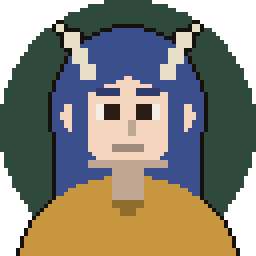
Horned sorcerer 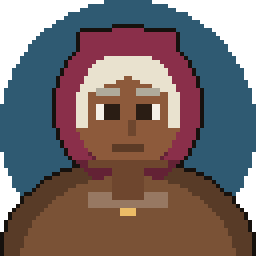
Hooded traveller 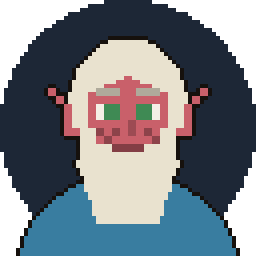
White-bearded elder 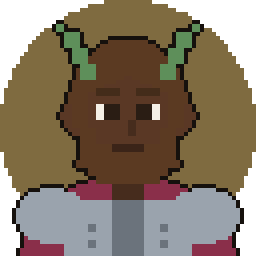
Green horns
Attachments: status effects that follow the token
In Owlbear Rodeo 2.0 an item can be attached to another. Owlbear's dev log says an attached item follows its parent's movement, rotation and scale, and that any item can be attached to any other, including images, drawings and text. That makes a small flame, shield or condition icon a good attachment: make it as its own tiny token and attach it, instead of redrawing the whole character.
Your asset library and the free plan
The Asset Manager is where your imports live. New accounts start on the free Nestling plan, and Owlbear says the paid Fledgling and Bestling tiers give more storage and more rooms. The 2.0 migration notes describe the free tier as 200 MB of cloud storage and the paid tiers as 5 GB and 10 GB, and a December 2022 patch note lists 2 permanent rooms on the free plan. Those posts are years old, and Owlbear's pricing page needs JavaScript, so we could not confirm today's numbers. Pixel-art tokens are a few kilobytes, so storage is rarely the issue.
Common Owlbear Rodeo token mistakes
- Importing a token as a Prop. Props sit below mounts and characters. Choose Character in the importer.
- Looking for an official size. There is none to find, so judge it on your own grid instead of resizing to a number from another tool.
- Forgetting the import options. Visibility and lock state are set up front. If a new token will not move or players cannot see it, look there first.
- Making a separate token for every status. Attach a small status image to the token so the two move together.
- Assuming an old limit still applies. The storage and room numbers in forum posts and 2022 notes may have changed.
Frequently asked questions
What size should an Owlbear Rodeo token be?
There is no official size that we could find. Owlbear's documentation covers importing and placing images but names no token dimensions. Use a square transparent PNG, such as the default export from this tool, and size it on your grid at import.
Should a token be a Character or a Prop?
Character, for anything that represents a player character or a creature. Characters sit above props and mounts. Use Prop for stationary objects, Mount for vehicles and animals, and Attachment for effects that ride on another item.
Is Owlbear Rodeo free for custom tokens?
New accounts start on the free Nestling plan, and you can import your own images through the Asset Manager. Storage and room limits apply, and we could only confirm older figures, so check Owlbear's current pricing page.
Can I drag an image from a website into Owlbear Rodeo?
Owlbear's asset docs say you can drag an image from your computer or from anywhere on the web into the importer. For tokens made here, use the PNG you saved to your device.
What are attachments for?
They tie one item to another so it follows the parent's movement, rotation and scale. The dev log gives status effects as the example, and says it can also replace the old mount system.
Can I use the same PNG in Roll20 or Foundry VTT?
Yes. Roll20 and Foundry have their own sizes and steps, covered on the Roll20 and Foundry VTT pages.
Running the game yourself?
CartoSmith is a battle map app for DMs, with fog, lighting and encounters, if you want a map you run yourself rather than a tabletop site.