
Token maker › Roll20 token maker
Roll20 token maker
To make a token for Roll20, save a square PNG with a transparent background, drag it from your computer onto the map as the GM (Roll20 adds it to your Art Library), then save it as the character's default token. Roll20's grid is 70 pixels per square at 100% zoom, and its own art guidelines for Marketplace tokens use 280 × 280 pixels per square, so 280 × 280 is a sensible size for a Medium creature.
Checked against Roll20's Help Center and partner art guidelines on 2 October 2026. Roll20 changes its interface often, so treat menu names as a guide.
A Roll20 character has two pictures
Most confusion about Roll20 tokens comes from the fact that the picture on a character sheet and the picture on the map are separate things.
Avatar
Roll20 describes the avatar as the image that represents a character in the Journal listing and in chat. It also shows up when you place the character on the map if no default token has been set.
Default token
An optional token linked to the character sheet. It keeps the image together with any bar, vision and light settings you configured, and it is what appears when you drag the character from the Journal onto the map.
How to make a token for Roll20
Make and save the token
Open the token maker with the Roll20 size selected, build or paint your token, and save the PNG to your device. The saved file has a transparent background, and Roll20 says images with transparency keep it on the tabletop.
Get it into your Art Library
As the GM, drag the PNG from your computer straight onto the map. Roll20 staff have confirmed that anything you upload goes into your Art Library. You can also use the Upload button in My Library, which takes up to ten images at once.
Place it and check the size
Drag the token from the Art Library by its name, then resize it on the map with the corner handles of the Scale tool, or use Set Dimensions to type exact values. At 100% zoom a one-square token is 70 pixels wide on screen. For Large and bigger creatures, make the token cover more squares rather than making a different image. The token size guide has the grid squares for each size.
Make it the character's default token
Open the character, switch to edit mode, and either drag the image from your Art Library onto the Default Token square, or select a token on the map and press Use Selected Token. Roll20 warns that the token is saved exactly as it is, so set its bars, vision and light first.
Set the avatar separately
Drag a picture onto the Avatar field if you want one. It can be the same image or a bigger portrait. Then drag the character's name from the Journal to the map to confirm the right token appears.
Four tokens made with the tool
These came straight out of the creator and have not been retouched. Each is a transparent PNG of about 4 KB at 256 × 256, far below any upload limit mentioned on this page.
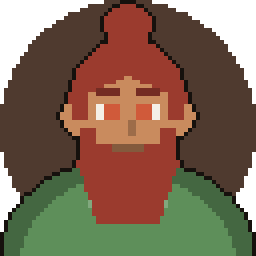
Bearded fighter 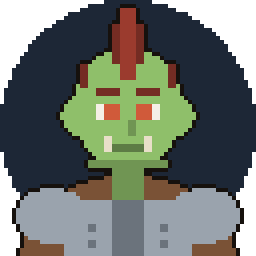
Orc raider 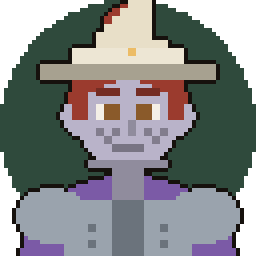
Wizard hat 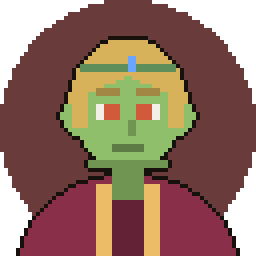
Circlet and red robe
Can a free Roll20 account use custom tokens?
Yes, as far as Roll20's Help Center says. Its Art Library article states that all subscription tiers can upload, and that storage differs by tier.
| Plan | Total storage |
|---|---|
| Free | 100 MB |
| Plus | 3 GB |
| Pro | 8 GB |
Per-file limits disagree between Roll20's own pages. The Help Center's Art Library article says 10 MB per image or batch on a free account and 20 MB for Plus and Pro. An older Roll20 wiki page says 5 MB and 10 MB. A pixel-art token is a tiny file, so you should not get near either number.
One real limit does matter for a free account: players cannot drag images onto the map. They can set character avatars and token art from their own library on the character's bio page, and the GM places the token.
We found no documented way to point a token at an image hosted elsewhere through the normal interface, so plan on uploading the file. Roll20's API documentation is stricter: scripts can only use images uploaded to a Roll20 library.
Bars and auras are token settings, not part of the picture
Do not draw health bars or rings into your artwork. Roll20 tokens carry their own bars and auras, and when a token represents a character you can link Bars 1, 2 and 3 to attributes on the character sheet so they update together. Keep the image clean and let Roll20 add those.
Common Roll20 token mistakes
- Dragging the little icon, not the name. In the Art Library you must drag the image by its name. In the Journal, dragging only the icon or the three bars beside a character's name does not place the token.
- Setting the default token too early. Use Selected Token copies the token exactly as it is. Configure bars, vision and light first, or you will repeat the step.
- Expecting players to drop their own tokens. Only the GM drops images on the map. Players set avatar and token art from the bio page and the GM puts them out.
- Assuming the avatar is the token. The avatar is a separate image. Roll20 uses it on the map only when no default token is set.
- Sizing with the image instead of the grid. A Large creature is a bigger token on the map, not a larger file. Use the grid squares in the size guide.
Frequently asked questions
What size should a Roll20 token be?
Roll20 does not publish a required size for your own uploads that we could find. Its Marketplace art guidelines ask creators for 280 × 280 pixels per grid square (4× the 70-pixel grid), as a PNG with an alpha channel, and that is the figure this site's Roll20 preset uses. Treat it as a convention, not a rule.
Do I need a paid Roll20 plan to use my own tokens?
No. Roll20's Help Center says every tier can upload to the Art Library, with 100 MB of storage on a free account. Paid plans mainly add storage and, according to the Help Center, higher per-file caps.
What is the difference between an avatar and a token in Roll20?
The avatar represents a character in the Journal and in chat. The token is what stands on the map. A default token links a configured token to the character sheet, and the avatar is shown on the map only if no default token is set.
Why did nothing appear when I dragged my character onto the map?
Drag the character's name, not the small icon or the three bars to its left. Roll20's help article specifically warns about this mistake. Also check that a default token or avatar has been set.
Will the transparent background survive?
Roll20 says images with transparency maintain it on the tabletop. Saved tokens from this tool are transparent where nothing is drawn, though a backdrop colour you chose is part of the picture.
Can I use the same file in Foundry VTT or Owlbear Rodeo?
Yes, a PNG is an ordinary image in both. Each has its own import steps and sizing, covered on the Foundry VTT and Owlbear Rodeo pages.
Running the game yourself?
CartoSmith is a battle map app for DMs, with fog, lighting and encounters, if you want a map you run yourself rather than a tabletop site.